
applenotes
My Note-taking Journey
Written by
Drea
Published on
10/10/2025
#applenotes #bearnotes #notetaking
An entire 16 years ago I began my digital note taking journey. Prior to 2009, I was taking notes in spiral-bound notebooks. As a federal employee who loved raiding the old supply room, this was my notebook of choice, a standard-issue, U.S. government classic.
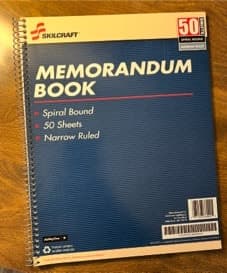
These notebooks were where I kept everything - meeting notes, task lists, brainstorming ideas. I would methodically date and categorize these in my office.
But this system had a lot of undesirable side effects. Biggest one was that I often had an idea that I needed to write down when I didn’t have my notebook handy. Notebooks got lost sometimes, or fell victim to a coffee spill. They were bulky and when I needed to go back and look at something, the corresponding notebook was often somewhere else than where I was at that moment.
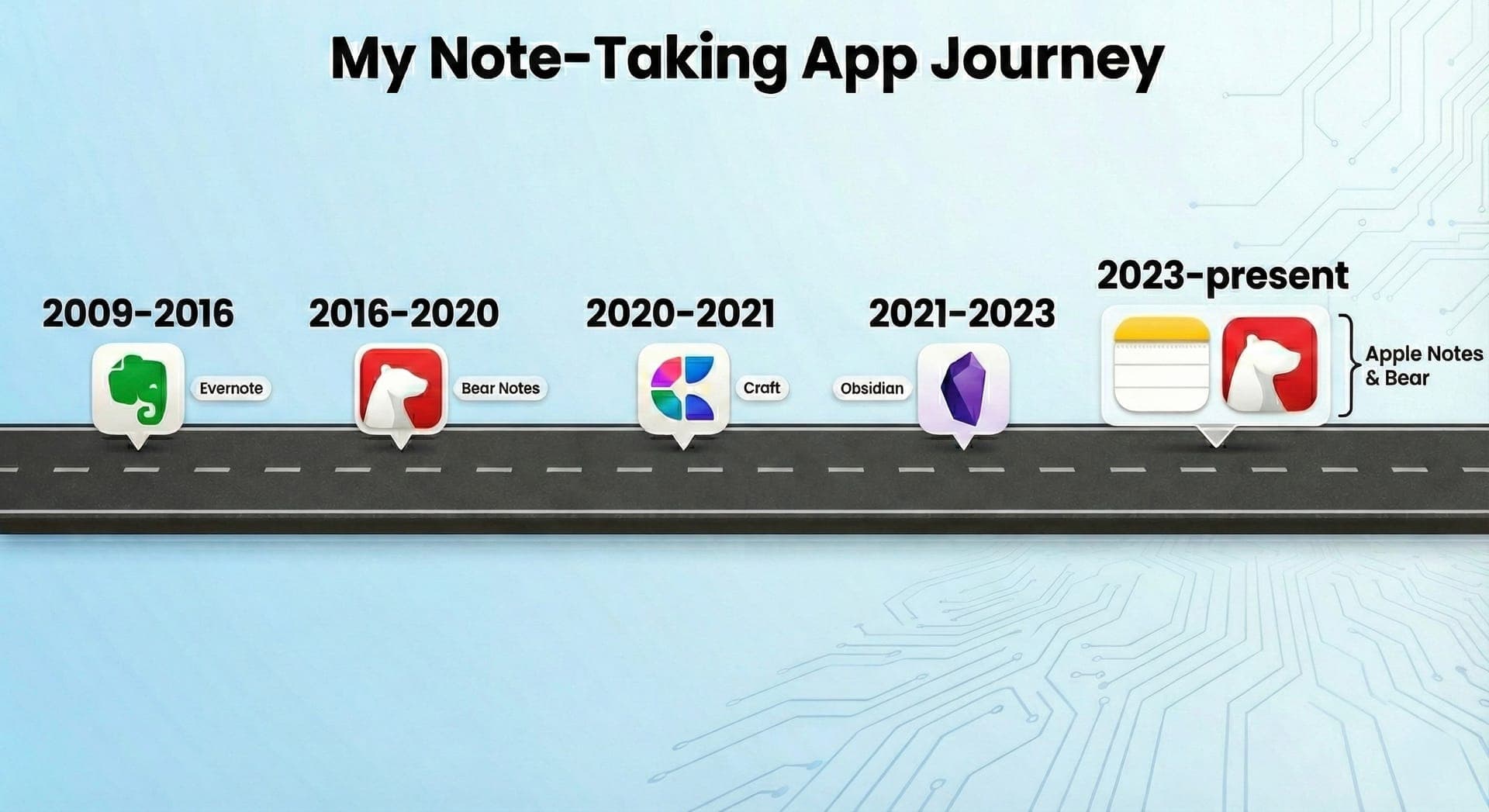
The idea of digital note taking was beautiful to me, and I started doing some digital note taking in Word documents prior to 2009, but it was the release of Evernote that spawned something it seems many of us were waiting for - truly portable, digital note taking.
The Evernote Years (2009-2016)
I was an early adopter of Evernote. I am pretty sure I was using it before an iPhone app was even available, or maybe even before I had an iPhone. But I know I started using it in 2009 and I kept using it for many years because there was little that could compete with it. At the time I was still working in an in-office environment, so the Evernote Moleskin notebooks became a staple for me, blending the worlds of physical and digital note taking.
Bear Notes, part 1 (2016-2020)
It turned out that Evernote was not forever. Over time, the app became bloated, slow, and the company running it seemed to lose their direction with the app. It was still the king of note taking apps, but it was no longer meeting my needs. By 2016, most of my note taking was occurring on a computer or iPad or my iPhone. My needs changed. Markdown called me, I think because I realized that no app was permanent and I wanted to ensure that I could take my notes wherever I went.
Bear Notes was released around this time and I immediately (and painfully) migrated from Evernote to Bear. However, Bear was a perfect fit for my needs. It was fast and it worked great on mobile. It had the features I needed and it was beautiful to use. I quickly grew to like the no-folder, nested tag system that Bear employed.
However, Bear during those years faced the significant challenge of development at a glacial pace. New features were talked about but never rarely implemented. Bugs persisted. Other note taking apps were entering the market and it felt like Bear was becoming abandonware.
A brief affair with Craft (2020-2021)
Yes, Craft was brief. For a few reasons. While it is a nice app and one that is still around and loved, I was never quite sure what Crafy was supposed to be. A document processor? A note taking app? A task management app? Everything about the app felt…unsure. And more importantly, I was not fond of the company’s privacy policy and lack of end-to-end encryption.
It probably didn’t help that I had my eyes on something else…Obsidian. During this time Obsidian was all the rage among note taking nerds like myself. It was cool, kind of like working in a computer terminal, and endlessly customizable. But at the time it did not have a mobile app and I could not justify a note taking app without a mobile app.
Obsidian…an impossible love affair (2021-2023)
Finally, in 2021, Obsidian came out with a mobile app. It took me a few months of playing with Obsidian to pull the plug on Craft, but once I did I never looked back. Obsidian was (and still is) so incredibly cool. Endless plugins to customize the app. A cool community of nerdy people. So many ways the app can be used.
I used Obsidian for over 2 years and I loved it. However, I loved it so much that I sometimes found myself spending more time fiddling with the app and its setup than doing work. Plugins needed to be constantly updated, CSS snippets added, links added. The app was great, but the UI was definitely difficult for someone who works entirely in the Apple ecosystem.
And then there was the mobile app. Each time I opened it many seconds passed before everything was properly synced. I always had to go in and update plugins.
During this time, quite unintentionally, I found myself using Apple Notes more and more. At first it was just to share notes with my spouse. But then I slowly began doing more and more on Apple Notes, mostly because it was so much faster and easier on mobile. And then one day I realized that all my note taking that day occurred in Apple Notes and I questioned whether I still needed Obsidian at all.
Apple Notes…and Bear? (2023-to present)
In late 2023 I fully transitioned back to Apple Notes. I archived my Obsidian markdown files, moved over to Apple Notes what I needed, and started anew. And honestly, it’s been pretty good. Apple Notes does what I need it to do. I can easily drop things into Apple Notes via the quick notes feature, and Apple Notes can handle just about anything I throw at it.
Recently Apple Notes also added the ability to export notes via Markdown, which for portability is huge. Exporter, a third-party Mac app, is also available for bulk exporting Apple Notes to Markdown files, which eliminates my concerns about portability.
But Apple Notes isn’t perfect and I quickly realized longer writing tasks did not work well in Apple Notes.
It was around this time that the Bear Notes App received some pretty huge updates. Turns out the app had not been abandoned at all. True backlinks, tables, an improved editor…and eventually even a long-promised web version all were released. I started using Bear again for longer writing assignments and writing tasks that required more export formats or Markdown.
Apple Notes is still my “main” notes app. It is where everything gets jotted down, stored, and searched. However, Bear Notes also plays a critical role in my workflow.
Here’s how.
Apple Notes is my home base, my main digital filing cabinet. In it I have snippets, web links, and a whole bunch of other things. Each project has a single “dashboard” note that links to other information.
That is where Bear comes in. If I have something for a project that benefits from being written in markdown, I do it in Bear and then drop a link to that in my Apple Notes dashboard. Like this!
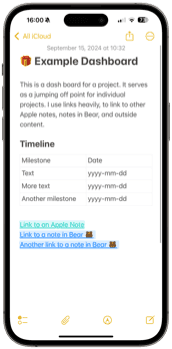
Best of both worlds. I get the convenience of Apple Notes as my one-stop, mobile-friendly notes app on all my devices, but also the power of Bear when I want to write longer text or need the speed of markdown. Also, while it is harder to get deep links to Apple Notes, I can still do so to link things within the Bear App to Apple Notes when needed. This makes Bear feel as though it’s an extension of the native Notes app.
Latest
More from the site
Drea
ai
Software as a cult, and Ai is making us crazy
#ai #internetculture There was a really good post earlier in the week on the internet by a blogger someone over on Bluesky that has since been deleted, but it was something that really resonated with
Read post
Drea
applenotes
How I use Apple Notes and Bear Together
#applenotes #bearnotes #notetaking 🐻I love Bear Notes. The UI is gorgeous, it’s fast on mobile and Mac, and typing in Markdown is (for me) faster. I love how portable my files are in Bear too. Easy
Read post
Drea
diyloop
Ai in DIY Loop
#diyloop #t1d #ai One cool thing about the "the app that keeps me alive" is that people are always innovating on how to make it better. When I saw this video the other day about a new customization s
Read post