apps
Cleaning up my messy read-it-later workflow
Written by
Drea
Published on
12/27/2025
#apps #productivity
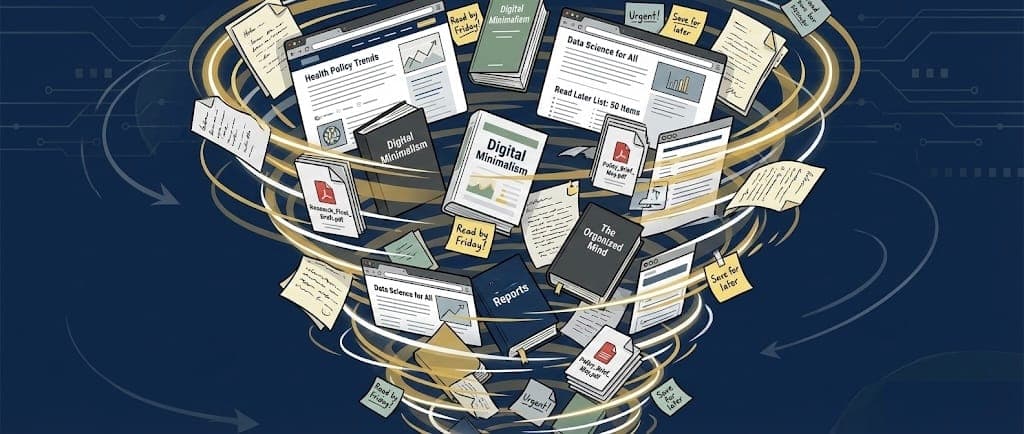
My read-it-later (RIL) and bookmarking workflow is a mess. Digitally, my stuff is just…scattered. Random tidbits in Apple Notes, a graveyard in Bear Notes from when I imported old highlights from Obsidian, remnants from when I used Readwise and synced those highlights, articles I clipped to Bear using the web clipper and then forgot about, and interesting YouTube videos bookmarked everywhere.
👋 Hello, I’m Drea and I am a digital hoarder.
I consume many different types of content from a variety of sources throughout my day. My consumption includes:
- 📚 books that I read via a variety of services (Kindle, Apple Books, Kobo, etc)
- 📰 news articles in Apple News, NYTimes, and many other places on the web
- 📃 PDFs
- 🎧 podcasts
- 📺 YouTube videos
Up until early 2025, I used Reader by Readwise as my RIL app, and I used the original Readwise service to sync highlights from books. Overall this worked pretty well. Reader could handle so many things - articles, ePubs, RSS feeds, PDFs - and synced everything flawlessly. But earlier this year I decided to ditch Readwise for a few reasons.
🔒 Privacy was my biggest concern. Readwise is excellent, but it is a centralized cloud service that processes reading data on their servers (and uses third-party AI processors). This made me very uncomfortable.
💵 Cost was another concern. At $12/month the service is not cheap. With increased costs in everything these days, I find myself scrutinizing subscriptions more closely than I have in the past.
🕳️ Readwise was also becoming a black hole. Because it does so much, things just got lost and forgotten. Having RSS within the app was great, but I quickly stopped checking it. Articles were dumped in and forgotten about, buried under more articles.
🔄 Finally, the highlight syncing to Apple Notes was nice, but I found that I almost never went back and used those highlights.
It was time for a new workflow.But a little bit of context first.
🤓 I work in research and therefore spend a good portion of my day reading and collecting information. This includes news articles, journal articles, PDFs, YouTube videos, and other tidbits of information from around the web.
📝 My notetaking set up is a combination of Apple Notes and Bear Notes. Apple Notes is for personal stuff - shared notes with my family, scanned bills, phone calls with customer service, my child’s school stuff, travel planning, house information, etc. Bear Notes, thanks to its Markdown and true backlinks, is where I do my work and any writing or research.
📱 A lot of reading is done on my iPhone, but I also work on a Mac throughout the day.
When I stopped using Readwise earlier this year, I went back to using GoodLinks for reading articles (when I wanted to highlight something) and the Reeder RSS app for RSS feeds.
The Cleanout
I began this process by cleaning out all the saved crap I had amassed. This mostly entailed going through saved items in Apple Notes, Bear, and GoodLinks and deleting anything that wasn’t worthy of saving or that was no longer relevant. This was easier and more satisfying than I anticipated. I ended up deleting about two-thirds of the information I had saved.
For any article links saved in Apple Notes or Bear, if I was not actively using that information for a project, I just saved the article in GoodLinks and marked it as “read.”
I also went through and cleaned out my RSS feeds in Reeder. Quite a few feeds were dead or no longer of interest.
Healing my Workflow for 2026
🛑 The most important part of my new workflow is to stop saving every freaking thing I read or watch. Like seriously, I don’t need to save EVERYTHING just because I can. Daily news articles I read will likely be irrelevant in a few days. Most of what I see on social media isn’t something I will come back to. If I really need to find any of this, there’s Google. 🛑
GoodLinks for articles. I will continue to use this for articles that I want to read and highlight. It is a privacy-focused RIL app that is beautiful on Mac and iPhone and utilizes the iCloud storage I already pay for. If I need the highlights from an article in GoodLinks, they are easily exported via Markdown. (Cost: $5/year)
Reeder for RSS. I will continue to use this because it works. I check it daily and I can easily send articles from Reeder into GoodLinks of I might want to reference them later. What I like about Reeder compared to other RSS apps is that can create feeds from a whole host of content, including podcasts and YouTube. (Cost: $1/month)
Nothing for books. Yep, that’s right. I am no longer going to regularly export book highlights because it turns out that I almost never need them. On the rare occasion that I want to save snippets from a book when reading (like if it involves highlights I might reference later when writing), I can do it manually into Bear as I read. But there is zero need to do this for every book that I read. (Cost: Free)
Apple Notes for everything else. I have a “🗄️SAVED” folder in Apple Notes that for years has been my personal digital filing cabinet. In there I save links to YouTube videos, social media posts, podcasts, and other things to which I might want to return or share with someone later. This has worked better than saving these things within each respective app or a third-party app. I tried a few other apps including KeepIt and Raindrop for this purpose, but because I really just need to be able to search for the link, Apple Notes works perfectly fine. (Cost: Free)
Hopefully this workflow will bring a bit of digital order to things in 2026.
Latest
More from the site
Drea
shortcuts
Quick entry shortcut
#shortcuts #productivity === publishAt: 2025-10-30T01:36:02+01:00 There are four apps I use constantly throughout my day - 📝 Apple Notes, 🐻 Bear Notes, ✅ Apple Reminders, and 📅 Apple Calendar. I w
Read post
Drea
iphoneography
The best camera is the one you have in your hand
#iphoneography From the moment I bought a cell phone with a camera on it, I was obsessed with taking pictures with a mobile device. There was something about the portability of my phone, the "in-the-m
Read post
Drea
music
Apple Music After Years of Spotify
#music #applemusic Leaving Spotify I was once a diehard Spotify addict. I love music and Spotify is great for music. Earlier this year, however, my issues with Spotify built up to the point where I w
Read post